
Hey, I’ve been there—you dream of making money online, but the thought of creating digital products feels overwhelming. Here’s some good news: you can make beginner-friendly digital products that take little time, cost almost nothing, and sell over and over again. These are true passive income products. Make them once, and they keep earning while you sleep!
In this post, I’ll share 7 simple digital products you can start with, plus tips, tools, and examples. Let’s dive in!
Why Beginner-Friendly Digital Products Rock
Why focus on beginner-friendly digital products? Because you don’t need fancy tech skills or a huge budget. These products are easy to make, fun to create, and highly sellable. You can test ideas fast, see what works, and grow your online business without stress.
Plus, digital products never run out of stock, and your earnings potential is only limited by how much you promote them. Think of it as a “create once, sell forever” model. That’s why digital downloads are so popular.
Ready to see the top 7 beginner-friendly digital products? Let’s go!
1. Printable Planners: Your Simple Start
Printable planners are the ultimate beginner-friendly digital products. People love them because they can print at home and organize their lives instantly. You don’t need design experience, and they sell like hotcakes on platforms like Etsy.

Why They’re Beginner-Friendly
- No advanced software needed—Canva, Google Docs, or PowerPoint work perfectly.
- Easy to customize for different niches: fitness, finance, meal planning, or study schedules.
- Simple PDF format—anyone can download and print.
Tools You’ll Need
- Canva (free version works fine)
- Google Docs or Microsoft Word
- Free stock icons and fonts
Step-by-Step Creation
- Choose a niche: fitness, finance, or daily planner.
- Decide on size: A4, letter, or half-page.
- Create a layout: headings, boxes, lines, and dates.
- Design using Canva or Docs—keep it simple and clean.
- Export as PDF for easy download.
Selling Tips
- List on Etsy, Gumroad, or your own website.
- Add lifestyle images for your listing—show people using your planner.
- Offer bundle packs for higher sales.
Example: A “Budget Planner for Beginners” PDF can sell for $5–$10. Sell 50 in a month, and you’ve made $250–$500 without touching the product again. Ready-made faceless marketing bundle here → Done-For You Digital Bundle
2. Ebooks: Knowledge Into Cash
Ebooks are classic beginner-friendly digital products. If you have knowledge or tips, you can package them into a short ebook and start selling. No need to be a professional author—people just want value and solutions.
I wrote about on how to write an ebook using AI here
Why They’re Beginner-Friendly
- You can write in your own words—keep it conversational.
- Short ebooks (10–30 pages) are totally fine for beginners.
- Formatting is simple using Google Docs or Canva.
Tools You’ll Need
- Google Docs or Microsoft Word
- Canva for covers
- PDF export option
Step-by-Step Creation
- Choose a topic people search for—budgeting tips, self-care guides, or beginner fitness.
- Create an outline with chapters and sections.
- Write short, clear paragraphs with tips, examples, and action steps.
- Design a cover in Canva that pops.
- Export as PDF and upload to Gumroad, Etsy, or Amazon KDP.
Selling Tips
- Bundle multiple ebooks for higher perceived value.
- Offer a free sample chapter to attract buyers.
- Promote on Pinterest or Instagram for extra traffic.
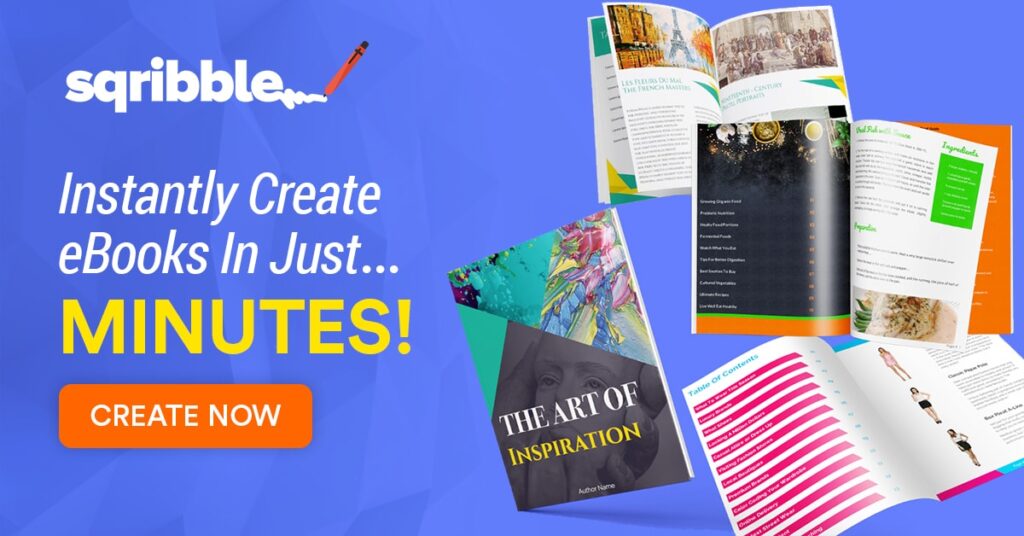
Example: A 15-page “Simple Budgeting Guide” can sell for $7–$15. Once it’s created, it’s a constant source of passive income. Click the banner below to start creating!
3. Stock Graphics: Creative Assets for Everyone
Stock graphics are beginner-friendly digital products if you like designing icons, illustrations, or patterns. Bloggers, marketers, and small businesses buy them constantly.
Why They’re Beginner-Friendly
- You can start with simple shapes and free design tools.
- One pack of icons can sell multiple times.
- It’s fun—express your creativity while earning.
Tools You’ll Need
- Canva or free vector software like Vectr
- Free stock elements and fonts
- PNG or SVG export
Step-by-Step Creation
- Pick a theme: food, business, holidays, or social media icons.
- Create 10–50 icons or graphics per pack.
- Keep file sizes small and organize by theme.
- Bundle graphics into zip files.
- Sell on Etsy, Creative Market, or Gumroad.
Selling Tips
- Offer different file types: PNG, SVG, and AI for wider appeal.
- Include a usage guide—buyers love it.
- Bundle seasonal graphics for recurring sales.
Example: A “Summer Social Media Icons” pack can sell for $10–$20. One pack can sell hundreds of times. [Click here to start]
4. Online Courses: Teach What You Know
Online courses are beginner-friendly digital products if you love sharing knowledge. Even a 30-minute course can sell repeatedly. You don’t need a fancy studio—your laptop and screen recordings work!
Why They’re Beginner-Friendly
- Short courses are easier to make than full-length programs.
- You can record in your own space—no fancy setup needed.
- Reusable content—once recorded, you can sell forever.
Tools You’ll Need
- Zoom or Loom for screen recording
- Canva for slides
- Teachable, Gumroad, or Podia for hosting
Step-by-Step Creation
- Pick a specific problem to solve—“Budgeting for Beginners.”
- Create 3–5 lessons with clear steps.
- Record video lessons and edit if needed.
- Upload slides, worksheets, and video files to your platform.
- Set a price, publish, and start promoting.
Selling Tips
- Offer a mini free lesson to attract students.
- Bundle with related digital products like worksheets or ebooks.
- Promote on social media and email newsletters.
Example: A “5-Day Budget Bootcamp” course can sell for $29–$49 per student. 50 students = $1,450!
5. Email Templates: Save Time for Small Businesses
Email templates are beginner-friendly digital products because small business owners always need them. You can create templates for newsletters, promotions, or client follow-ups.
Why They’re Beginner-Friendly
- No fancy software—Google Docs, Canva, or Word works.
- Reusable for multiple clients or buyers.
- High demand—everyone wants time-saving tools.
Tools You’ll Need
- Google Docs or Canva
- Email marketing platforms like Mailchimp (optional)
- PDF or DOCX export
Step-by-Step Creation
- Choose your email type: newsletter, welcome series, promotion.
- Create 3–5 professional email templates.
- Format with headings, sections, and placeholders for personalization.
- Export and bundle as a ZIP file.
- Sell on Etsy, Gumroad, or your website.
Selling Tips
- Offer editable versions so buyers can customize easily.
- Create niche-specific templates—coaches, realtors, or e-commerce.
- Bundle with social media templates for higher sales.
Example: A “5-Email Welcome Series Template” pack can sell for $15–$30. 100 sales = $1,500.
6. Social Media Templates: Make Branding Easy
Social media templates are perfect beginner-friendly digital products. Bloggers, influencers, and small businesses love pre-designed posts for Instagram, TikTok, or Pinterest.
Why They’re Beginner-Friendly
- Templates are easy to create in Canva or Photoshop.
- Highly customizable—buyers change colors, text, or images.
- Can be sold as weekly or monthly packs.
Tools You’ll Need
- Canva (free version works fine)
- Photoshop or Illustrator (optional)
- PNG, JPG, or Canva link export
Step-by-Step Creation
- Pick a niche: fitness, lifestyle, or business.
- Create 5–10 post templates with consistent branding.
- Add placeholders for text, images, and hashtags.
- Export or share Canva templates.
- Sell on Etsy, Creative Market, or your website.
Selling Tips
- Offer editable Canva links for ease of use.
- Create seasonal templates for recurring sales.
- Bundle with stock graphics or worksheets.
Example: “30 Instagram Post Templates” can sell for $25–$50. Once made, sell again and again. [Get the Done-For-Yor Digital Bundle with Over 1000 Canva Templates! 100% Resell Rights]
7. Worksheets: Teach Through Action
Worksheets are beginner-friendly digital products because they guide users to take action. From budgeting worksheets to self-care planners, people love printable exercises.
Why They’re Beginner-Friendly
- Easy to design with Canva or Google Docs.
- Short and actionable—no need for long content.
- Perfect add-on to ebooks or courses.
Tools You’ll Need
- Canva, Google Docs, or Word
- PDF export
- Optional icons or stock images
Step-by-Step Creation
- Pick a goal: habit tracking, budgeting, goal setting.
- Create 1–3 pages with tables, prompts, and checkboxes.
- Keep design clean and readable.
- Export as PDF for easy download.
- Sell on Etsy, Gumroad, or your site.
Selling Tips
- Bundle related worksheets for more value.
- Offer themed packs—monthly trackers or goal-setting kits.
- Use Pinterest and Instagram to drive traffic.
Example: “Self-Care Worksheet Bundle” can sell for $7–$15. 200 sales = $1,400. [Get it here, the Done -For -You Digital Bundle]
It contains over 1000 planner and productivity templates, customizable, all done for you!
Start Selling Your Beginner-Friendly Digital Products Today
Now you’ve got 7 beginner-friendly digital products to choose from. Pick one that excites you and start creating. Remember, these products are passive income machines—create once, sell daily. Don’t wait for perfection. Start small, test your ideas, and scale over time.
Ready to take action? Grab Canva, open Google Docs, or set up your Etsy shop. You got this! Your first digital product is just around the corner.
Want more tips? Download this free guide on how to make money online with digital products!
Start creating your first beginner-friendly digital product today, and watch your passive income grow!